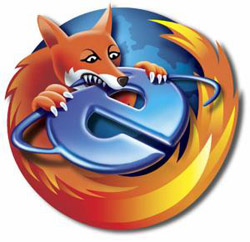
We’ve ditched support for Internet Explorer. Why? We’ll reserve our comments to avoid a debate.

Firefox > IE
Solution? Firefox, a browser supported on all major operating systems – Filttr works best on it. Oh, we love Safari and Chrome too!
We’ve ditched support for Internet Explorer. Why? We’ll reserve our comments to avoid a debate.

Firefox > IE
Solution? Firefox, a browser supported on all major operating systems – Filttr works best on it. Oh, we love Safari and Chrome too!
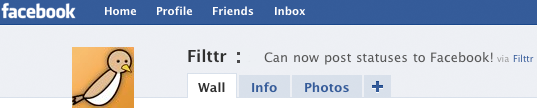
Do you use facebook? Don’t you wish you could post select twitter updates as facebook statuses? Inspired by Selective Status (facebook app), Filttr now has a nifty facebook integration to allow posting specific/all updates to Facebook. Unlike existing facebook apps, we allow protected users to post their statuses as well!

To get started, login to oauth.filttr.com, click settings (at top) and select facebook (on the right). Here are the options you can chose from:
You may also temporarily disable the feature; such as when live tweeting an event. We do not post @replies and Direct Messages. If you don’t want to show hashtags on facebook statuses, select the “strip hashtags” option.
Note: You MUST remove Twitter’s official facebook (or others such as Selective Status) integration to avoid double posting.
Happy Filttr’in!
It’s been a very very long time since we updated everybody on what’s been happening. We have had a hard couple of months, with Twitter’s API goof ups and the whole ballyhoo with oAuth. But on the other side of all that, we have a lot of good news, and some not so good news.
Let’s start with the good ones first.
It’s hard to be on Twitter for a day without hearing about oAuth at least once. After all, it is being touted as the messiah to solve all user security issues related to Twitter. Although the release into beta, and then going public has been very haphazard. Some people have it, some people don’t. The ones who don’t, think they do because they hear it from the ones who do. The ones who do, have problems with it because it is still in beta. While that jumble goes on, the API consumers (read: apps and services like us), have had to deal with figuring out which problems were due to Twitter, and which bugs were at our end. Multiple points of failure always make things very hard.
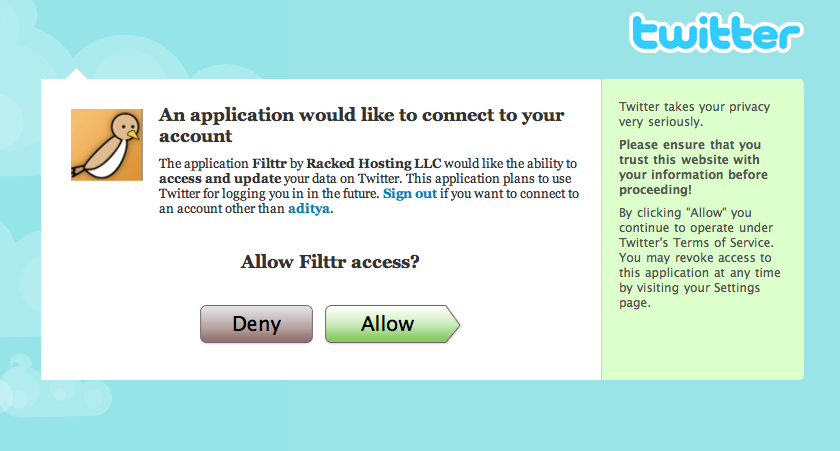
But, we’re glad to say that we’ve managed to implement a fairly robust authentication system based on Twitter’s oAuth, and plugged in the holes that we could in Twitter’s API (at our end). The result is the rebirth of Filttr’s authentication system.
We now have Filttr credentials. You no longer need to use your Twitter credentials. All you have to do, is signup with Filttr – that is, create a new account with a username and password (which is not your Twitter username and password) – and using oAuth, link your Filttr account to your Twitter account. You’re done! In fact, we went a step ahead to make it easier for everyone. You don’t even need to have a Filttr account to use Filttr. We have a special ‘Quick signup’ for all you finicky folk who just want to see what the fuss is about. Understandably, this experience is severely crippled because we cannot store any settings for temporary users. Which means if you use the quick signup to use Filttr, you will not have access to Keyword blacklist/whitelist, Aliases, our infamous instant messenger bot or mobile interface, and other things that we’re known for. Not to mention, you will have to go to Twitter everytime, to give us access to your data via. oAuth.
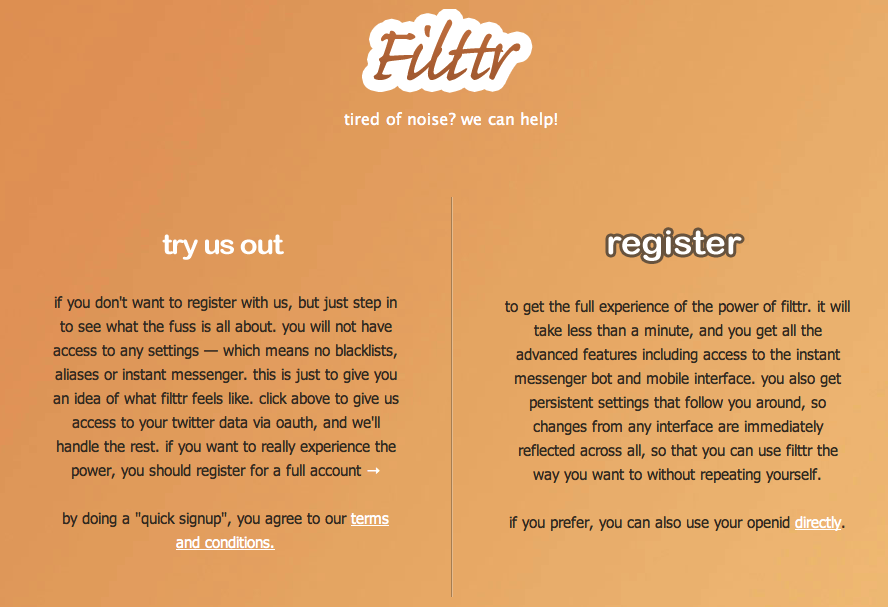
In case you don’t want to fill a four field form, we also support OpenID. Just use your OpenID provider’s URL, and we’ll take care of the rest. Now you can sign in to Filttr, the way you want to!
We think having an account is just so much cooler. You get access to all our interfaces using just one set of credentials. You’ll get the whole Filttr goodness in all its glory. Dare we say you will never have to sign in to Twitter again! If you’ve already been using Filttr, just sign up, and we’ll port all your data over to your new Filttr account. Easy as pie.
Go ahead, give it a whirl!
We never get tired of adding new things, or improving old ones. Doing a feature by feature comparison of what Filttr has to offer to the general Twitter user, we can confidently say that Filttr’s web interface is the best there is today. And it becomes better every day. Just ask our users.
We completely revamped our mobile interface some weeks ago. We began dropping support for older WAP based mobile browsers in favour of better and powerful smartphone browsers. This gives us way more leg room to move about than the WAP browsers would have. Mobile browsers are all upping their game thanks to competition from iPhone Safari, and we’ve decided that this is the place to be.
We added threaded replies, just like what you’ve become used to on the main web interface. We added Aliases, ability to search, ability to see older tweets and did a complete visual overhaul. It looks and feels much cleaner now. The layout should suit all phones, whether you use it in landscape or portrait mode. So if you’re on the move, give Filttr Mobile a try. It’s the most usable mobile interface for Twitter there is.
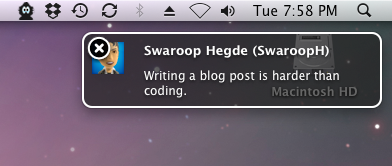
As far as the main web interface goes, our biggest addition was OS X Growl style notifications for replies from non-friends. We realised that having multiple tabs open might not be okay with some people. And of course, we don’t want to miss replies to ourselves. So we decided to bring the unobtrusiveness of Growl notifications to the web. You can toggle a button if you want to see replies from people you’re not following, right on your main timeline. You can reply by clicking the reply button in the notification. It’s really useful when you get the hang of it.
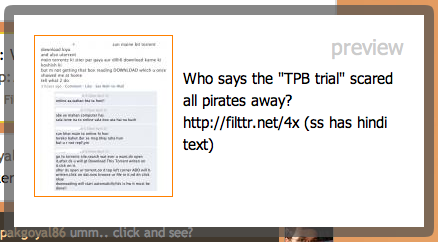
Making Filttr play better with other sites and media (apart from text), we now have image previews! Currently we support Filttr Gallery pictures and TwitPic — the most popular way to share pictures on Twitter. You don’t need to click away to another site to see what the picture in conversation is all about. Any Filttr.net picture or TwitPic link will first show you a small preview, and if you want to see the bigger picture, clicking the thumbnail will take you to the original page. This will save you time, and bandwidth — plus, the tweets will continue to flow without interruption.
We also added the ability to change the behaviour of virtually any part of Filttr. Right from disabling keyboard shortcuts to opening links in new windows. What’s even more awesome is that these settings are persistent. So it doesn’t matter which interface you’re using to access Filttr and read your tweets. Whatever was your preference for the main interface, will be reflected in your mobile interface as well. How’s that for convenience? Filttr can do this because we’re more than just one app. We’re a collection of apps, and hence a service. We believe it’ll become clearer to the people why Filttr is so much better as time goes on.
For our more technically sound folks, a geekier changelog is here.
We’re lagging behind on our desktop application. It’s taking longer than we expected because we want it to be absolutely awesome right from the first day. Bringing it into this world when its siblings – the web and mobile interface – have such amazing reputations, is not easy. Then of course, is the competition with other applications out there. We just want you, the user, to have the easiest, best, and funnest experience that we as programmers and designers can give to you. We hope you understand.
So, this has been a long chit-chat. You can see that we keep busy making sure everything runs smoothly for you. But we miss things too, and love to hear from you when you have an idea for us. Our Uservoice page is still up in full swing, so drop by if you have something for us. We’re still @SwaroopH, @aditya and @filttr on Twitter, so you can always reach us there.
Happy Star Wars Day, and thanks for using Filttr. May the 4th be with you!
Today we’re formally announcing our our 5th ßeta. You see, since we went into public beta, we’ve started something new. We don’t wait for milestone moments to push features and improvements. We just wait for them to be tested enough, and the day we’re happy with them, we push them live. This way, everybody gets the features in an incremental way, and they aren’t dependent on other changes that we might have in mind for that particular milestone. Then, we pick one day and announce all the changes that we’ve made since the last release. Simpler and efficient, ‘innit?
Now, with that out of the way, let’s get started with what’s big this time around. Let’s take these one by one.
Yes, we were pleasantly surprised when Filttr was featured on Techcrunch, albeit with a slightly misleading title (but hey, we’re not complaining). We saw our user base shoot 10 fold thanks to it, and almost everyone was very happy with what he have to offer. Sure, this was about 2 weeks go, but the great thing is that word really spread, and now we see a trickle of new users everyday trying out Filttr and recommending it to people. We hope this growth continues, as we work to add more and more features that’ll make Twitter that much easier for you.

We had to sadly remove our desktop application a couple of days after the Techcrunch bonanza. While we loved it, we realised that it was not up to par with the Filttr experience we want to offer everyone. Hence, we removed the old application and immediately began working on another one that is going to be better, faster and more feature rich than any other Twitter application out there today. It’s going to remain very easy to use, non-bloaty and did we say fast? We will no longer be using AIR, so that we can leave that overhead behind. We are switching to a better technology, that help us maintain and add features to the application at a frequent rate.
This was a necessary step to avoid falling into the same pitfalls and many other applications have. We did not want legacy code to weigh us down, and a platform roadmap that we weren’t in control of. All this goodness is going to take a little time though, but bringing the application back is our top priority at this point. So hang on, you’re going to absolutely love this new application.
But our absolutely awesome web interface continues to be developed and improved with new features and performance boosts. For our more technically sound folks, a geekier changelog is here. But here’s a simpler, more-than-brief low down on all the goodies!
Enhanced Replies: Yes! This was one of the biggest requests ever since we went live, that you wanted to see replies to you along with your regular stream. Well, we always like to do that extra bit to make things more than what others make of ‘em. So, we decided to boost your regular replies with any mention of your name in the whole Twitter sphere. It doesn’t matter if that tweet is a reply to you or not — as long as someone mentions your username, you’ll get to see it. How do you like them apples?
Aliases, not groups: We’ve revamped our Groups, so that they’re not groups anymore. They’re the most powerful way to receive information there is amongst any other Twitter client today. Aliases are a combination of search and friend groups. You can create an alias with search terms to keep track of those words in the entire Twitter sphere — being able to absolutely pin point what you want to see, and not see. Using the advanced options on the Settings/Alias, you can construct the alias that you want, choosing words you want to see, and words you don’t want to see. You can also choose if you want to search the whole of Twitter, or just what your friends are saying. You can select all your friends, or some of your friends. It is completely upto you, with no restrictions (not from our end, at least). You’re going to love these way more than groups. Believe us! If you find it a little complicated, head over to the Settings page, and things are explained in much more detail.
Tweet Attachments: Why just express yourselves in words, or pictures for that matter? Now you can upload audio, as well as video files! With decent limitations, you can now share yourself in many different ways. Completely asynchronous, like everything else in Filttr, you won’t have to leave the page to upload something. Convenient? We thought so. Just click the paperclip icon next to the tweet box like you do normally to attach pictures, and instead of picking an image, pick the file you want to upload.

Oh, and speaking of attachments — you can now see who is talking about that particular attachment right on the page. For example, if you go to this attachment, which is a screenshot of a Twitter goof up with @SwaroopH’s stats, you’ll see at the bottom the tweet that talks about that attachment. This will help you keep track of who all find your attachment interesting. Swell? Great!
Keyboard Navigation: Since we removed our application, we decided to make our web interface feel just like an application so that you don’t miss it too much. We add a bunch of keyboard shortcuts to make sure that you’ll (almost) never need to use a mouse on our pages again. Click on the ‘?’ icon under the attachment icon to get a list of these shortcuts. They might take a little getting used to, but when you do, you’ll see that you really can’t live without them!

User Badges: Tired of clicking away from Filttr just to see information about another user? Well, no more! Now, clicking on any user’s name or handle will show you their info right there. You’ll see their full name, location, their bio, latest tweet — along with if they follow you or not. You can follow or unfollow them right from that box, so you never have to leave Filttr if you don’t want to!

Link Information: The tradition of shortening links is both a good and a bad thing. We don’t like the fact that the destination can be obscured by just shortening a link to it, and you’re clueless as to where you’re going before you reach. So we decided to show it to you. Holding your mouse over a link shows you exactly where you’re going to end up. We also re-link the link, so that you are not redirected from the URL shortening service’s page. Less re-directs mean lesser time to reach wherever the link is supposed to take you. If the link is to a media file, we show you the size of that file so that you know exactly how much you will be downloading, before you do. It’s really helpful!
That’s six new things, but these are only the new features! There have been many more improvements to performance and speed under the hood – so the pages should seem snappier than ever before!
We have been silently testing our oAuth-based user registration. While other apps can simply create an association with your Twitter account, we cannot – because we’re more than just your average app. Hence, we will continue to have our own authentication system, which will be your credentials to access Filttr. We will link this account with your Twitter account, so that there is a two-level security layer. And you can seamlessly use our different interfaces by using just one set of credentials. If you move from your computer to your mobile phone, you can just go to our mobile interface, use your Filttr credentials, and start using Filttr. No need to re-authorise or jump through more hoops. We believe this is the most convenient way to offer you the Filttr experience, and it goes along with our plans for the future.
oAuth will be revealed whenever Twitter takes it out of beta. We’ll be ready!
We’ve decided to stop saying that we’re not going to add any new features, since we’re obviously not going to stick by it! Coupled with our new way to roll them out, we hope you’ll always keep a look out, waiting for the next big thing! As usual, if you have any ideas and/or suggestions in mind, don’t hesitate to let us know. Have a good day!